HTML : The Web Page's Skeleton
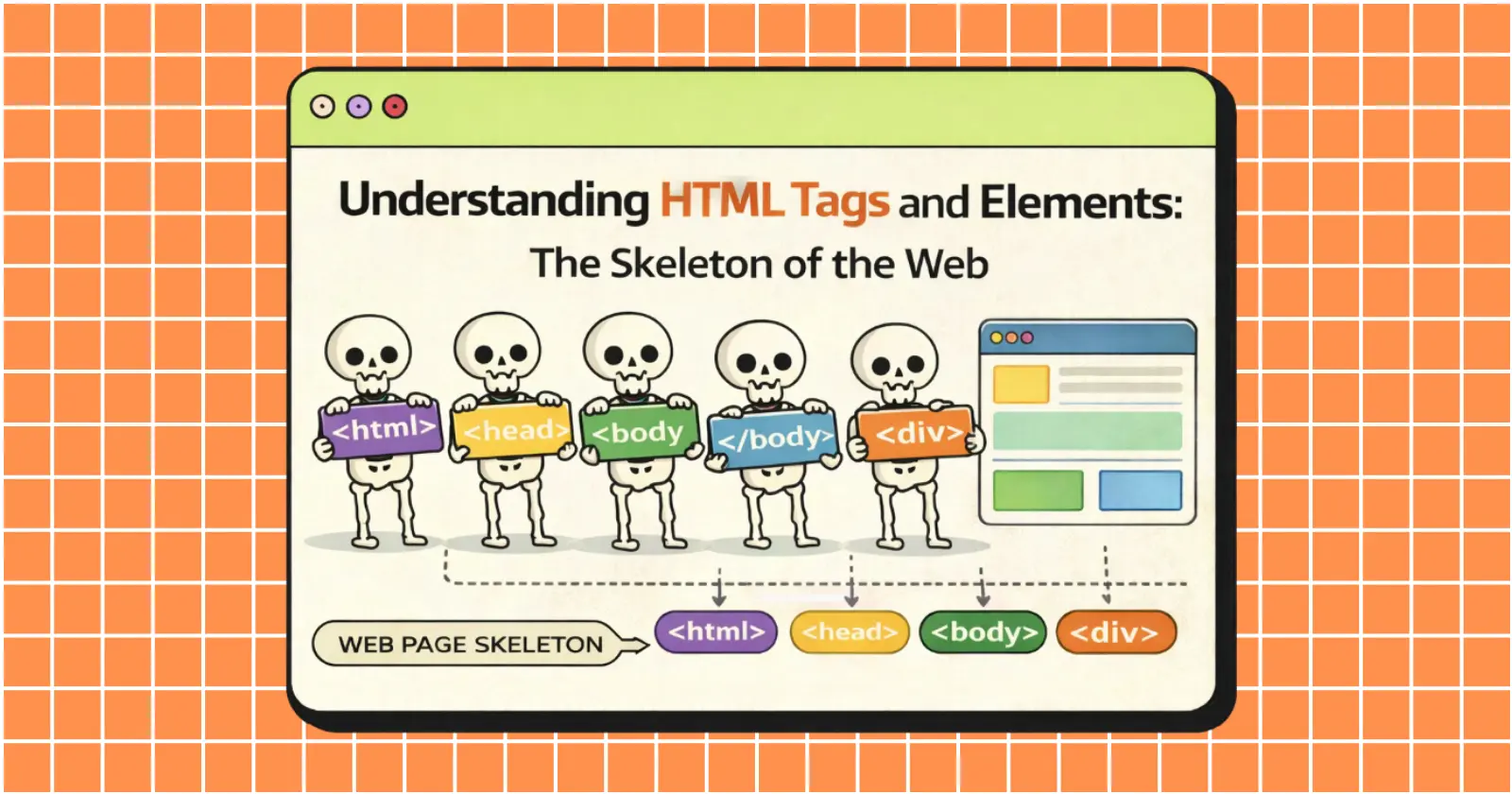
Before knowing what HTML is, we need to know why we need HTML in the first place.
Because without it a Website will collapse, akin to a human without its bone. HTML gives a Web Page a structure to stand upon.
When you load a website, it is HTML that helps the poor browser distinguish :
What is a Heading
What is a Paragraph
What is an Image
What is a Button or a Link
Without HTML a Browser wouldn’t have a clue about what Content to Display or how its supposed to be arranged. Now we know why we need it. The next question should be
The answer lies in its name, HTML stands for Hyper Text Markup Language.
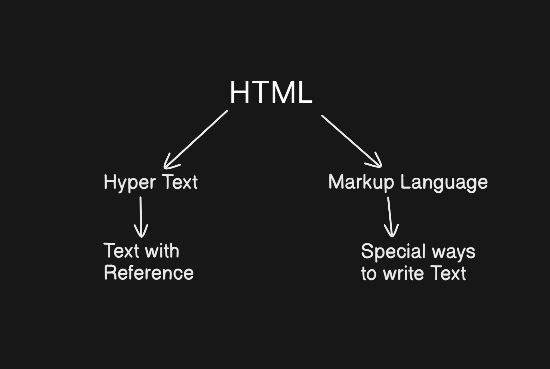
It is a language that encloses Text within special Tags that allow the browser to display them in various formats and link them with each other.
An HTML tag is a label enclosed within <> that tells a bowser what the content enclosed with that tag is or how to deal with it.
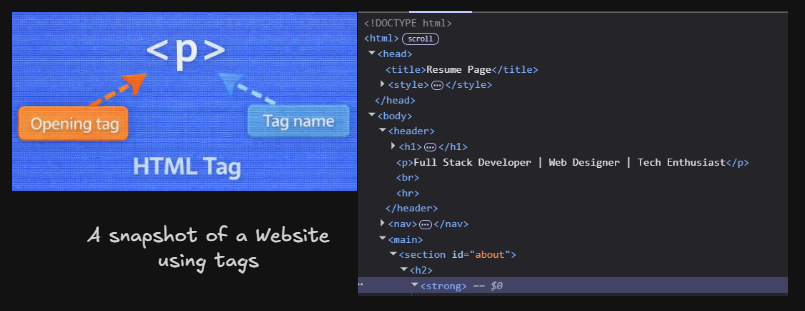
Some examples of HTML Tags are:
<html> - HTML Tag (The root element that wraps the entire HTML document)
<head> - Head Tag (Stores the meta data of a web page)
<body> - Body Tag (Stores the main content of the webpage)
<div> - Div Tag (Like a box groups elements together)
<span> - Span Tag (Used to style or target small pieces of text)
<p> - Paragraph Tag (Used to write normal text content like explanations, blog content)
<h1> - Heading Tag (Used to define titles and section headings on a webpage)
<u> - Underline Tag (Used to add a horizontal line under the enclosed text)
<i> - Italic Tag (Used to display text in an italicized font)
<a> - Anchor Tag (Used to create hyperlinks)
HTML Element
Generally in HTML, a piece of content is accompanied by an Opening and Closing Tag. Both of these tags are of same type and help the Browser determine what the piece of content is and how to Display it. For eg:
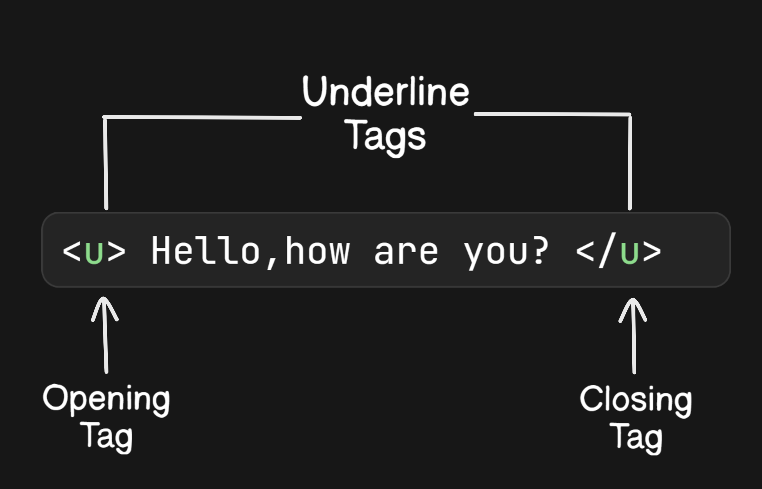
In the above example :
<u>- Underline Tag. Tells the browser to start underlining whatever content it encounters now.Hello, how are you?- The piece of content that is to be underlined.</u>- Tells the browser to stop underlining the content.
And this whole structure of a piece of content being accompanied by a set of Tags, makes up an HTML Element.
HTML Element → Opening Tag + Content + Closing Tag
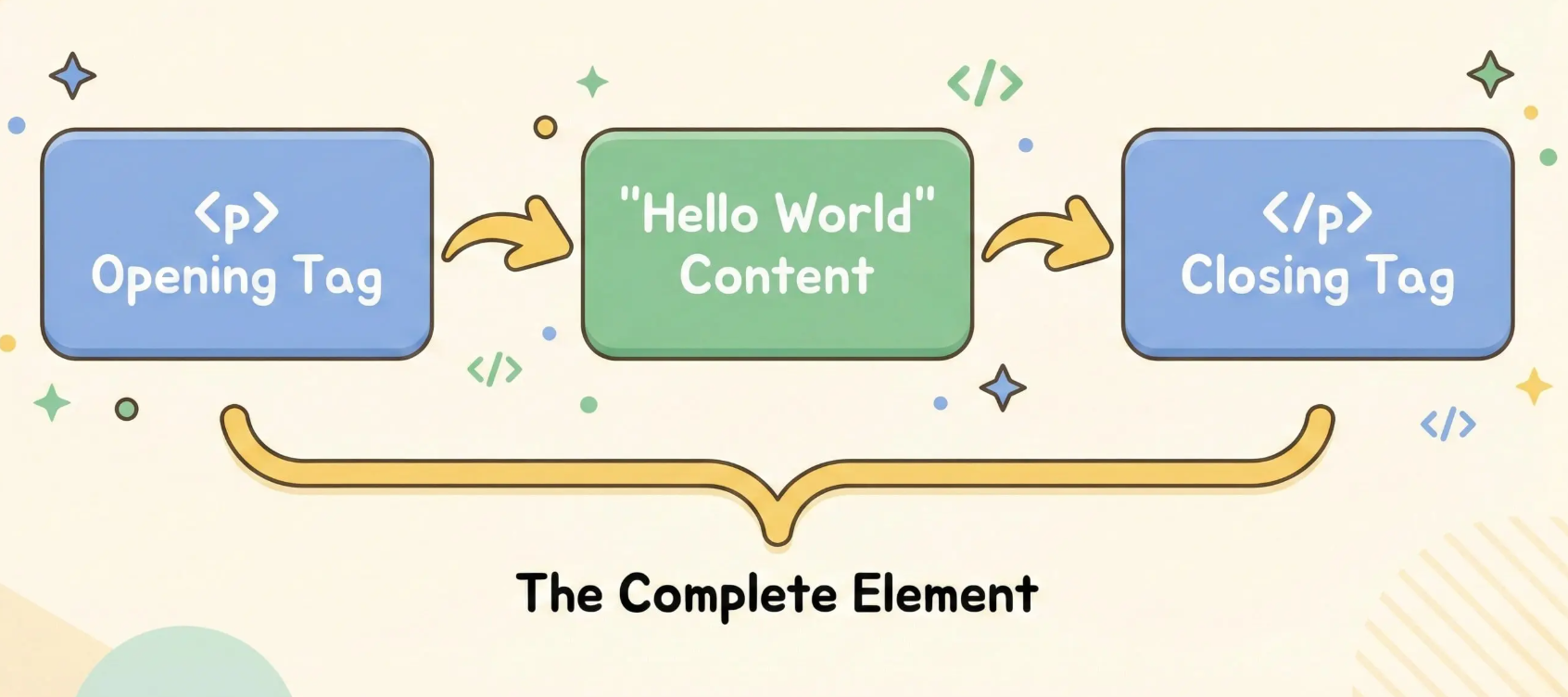
There are some special cases of tags that do not require a Closing tag because of the action they perform, we call them Self Closing Elements. Some examples are :
<br> - Break Tag, adds a line break.
<hr> - adds a horizontal line.
Block Level Vs Inline Elements
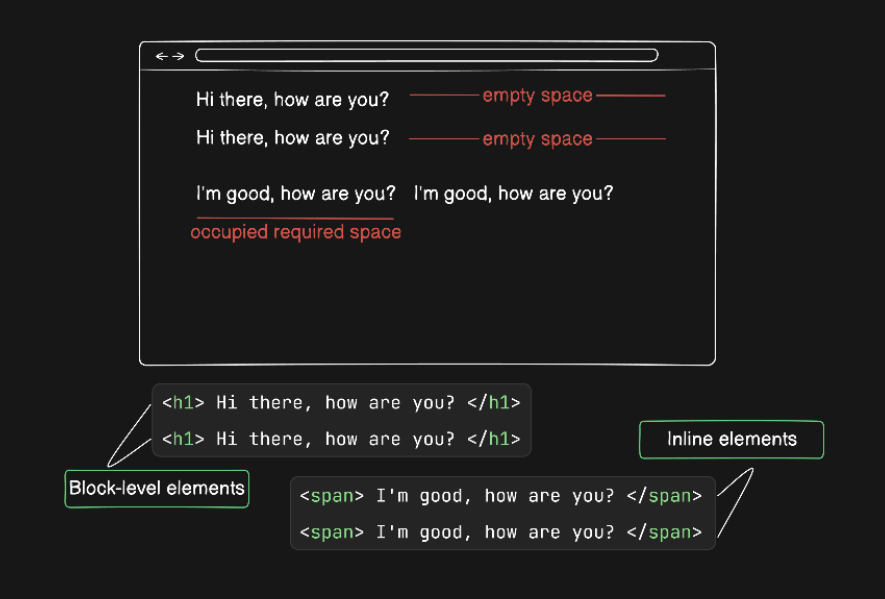
1. Block Level Elements (The "Big Bosses")
These elements are selfish. They always start on a new line and take up the full width available (like a wall). Nothing can sit next to them.
Examples:
<div>,<h1>,<p>,<ul>.Like a brick in a wall. You can't put two bricks in the exact same horizontal space. The next one has to go below.
2. Inline Elements (The "Friendly Neighbors")
These elements only take up as much width as they need. They do not start on a new line; they sit comfortably next to other elements.
Examples:
<span>,<a>(links),<b>(bold).Like words in a sentence. They sit side-by-side until they run out of room.
Pro Tip : Right Click on this very page and click on “Inspect”. You can see the real skeleton of this Web Page in you Browser.


